
Ready for the first shift
Give new and seasonal employees a clear introduction to routines, safety and customer service. Combine shared training with the needs of each store.

Bring onboarding, product knowledge and sales training into one learning platform for retail. Keep store teams up to date and follow learning across the chain.
Give employees the knowledge they need, from their first shift to the next product launch.
Give new and seasonal employees a clear introduction to routines, safety and customer service. Combine shared training with the needs of each store.

Bring product launches, campaign information and sales training into short courses. Keep teams informed when the range changes.

Use short modules, video and quizzes on mobile devices. Make it easy for employees to find relevant training during the working day.
From onboarding to leadership, safety and customer service. These are examples of how to use the platform; combine them with your own training needs.
Create learning paths for sales assistants, store managers and seasonal staff. Combine chain-wide routines with each store’s introduction.
Collect fire safety, incident procedures, theft prevention and opening and closing routines. Track completed required training by store.
Prepare teams for holiday trade, sales periods and new store openings. Reuse onboarding and schedule training before the first shift.
Publish new product knowledge and campaign materials in one place. Follow up which teams have completed the training before the launch.
Build a launch journey from product knowledge to a short quiz and practical customer scenarios. Adapt the training by role and store, release it before the campaign starts and follow up which teams are ready.
Share customer service practices and knowledge checks across stores. Adapt training to roles, brands and customer groups.
Practise needs analysis, product recommendations and add-on sales with scenarios and quizzes. Adapt examples to your assortment and customer groups.
Train teams in returns, warranties and difficult customer meetings. Combine shared routines with examples from each market.
Review completed training by person and team. Identify unfinished steps and use the results to support employees.
Build learning paths for new store managers, coaching and giving feedback. Follow development by role and region.
Use the records in coaching conversations and to plan the next training activity. Give store and regional managers a basis for supporting the teams they are responsible for.
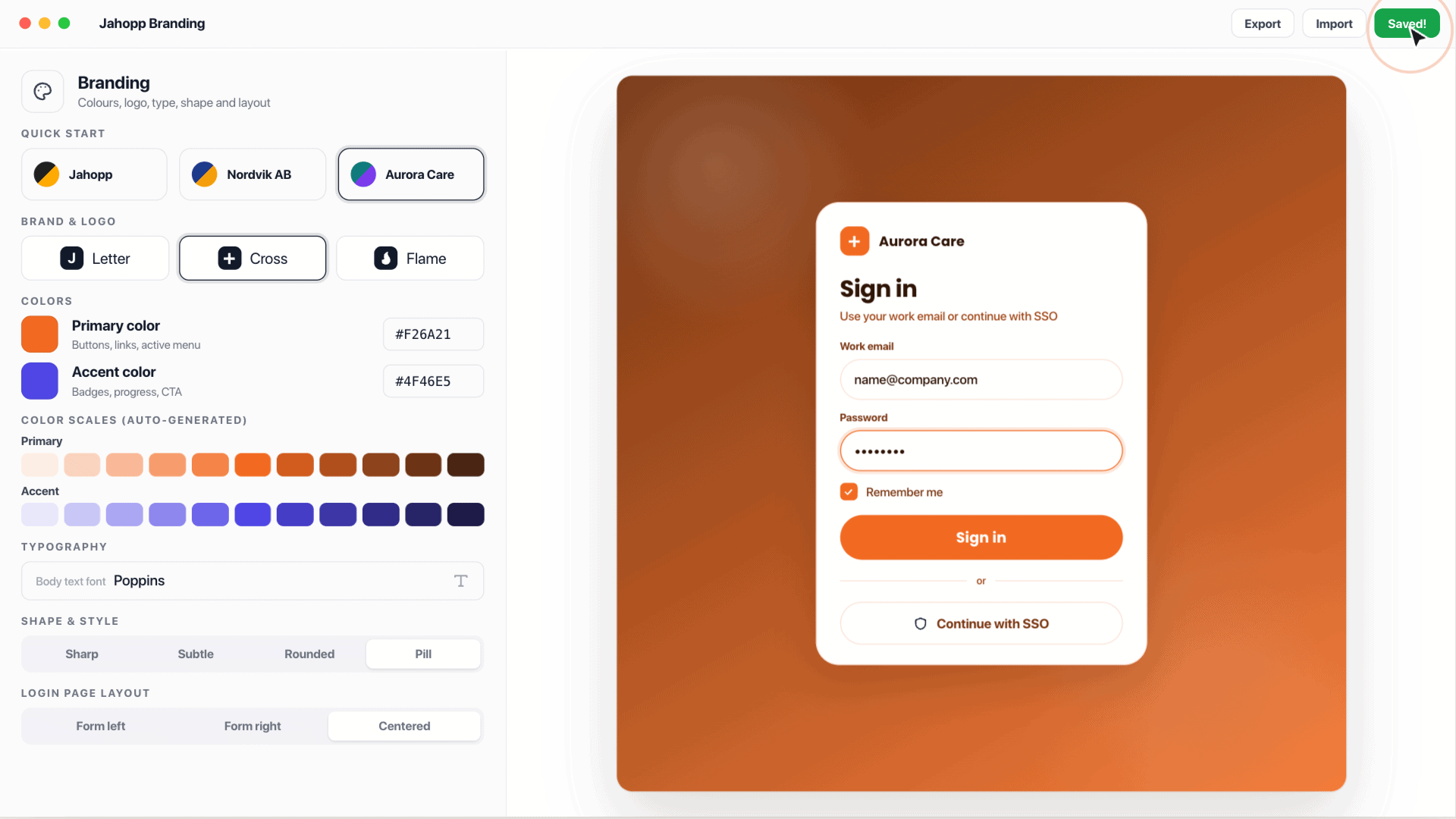
Synchronise users, roles and organisation with existing systems. Give teams a learning environment with your own visual identity.
Share product training with franchisees and resellers. Adapt content, language and visual identity to each audience.
Plan how new starters, role changes and departures should affect access to learning. Combine shared training with relevant content and language versions for each audience.
YOUR BRAND
Let staff meet your brand throughout the learning experience. Adapt colours, logos and structure, and connect the platform to the systems you already use.
Examples include Microsoft Entra ID, Microsoft 365, SharePoint, Visma, Agda, Fortnox, HubSpot, Salesforce, Dynamics, Teamtailor, ID06 and BankID, among others. Use the open API for additional systems.
Yes. Combine shared content with learning paths for roles and teams, and adapt the setup to your organisation.
Yes. Give seasonal and temporary staff relevant onboarding and training for their role. Review access and user synchronisation as part of your setup.
Yes. Courses with text, video and knowledge checks can be used on phones, tablets and computers.
Use reporting to review completed training and identify remaining steps by person and team.